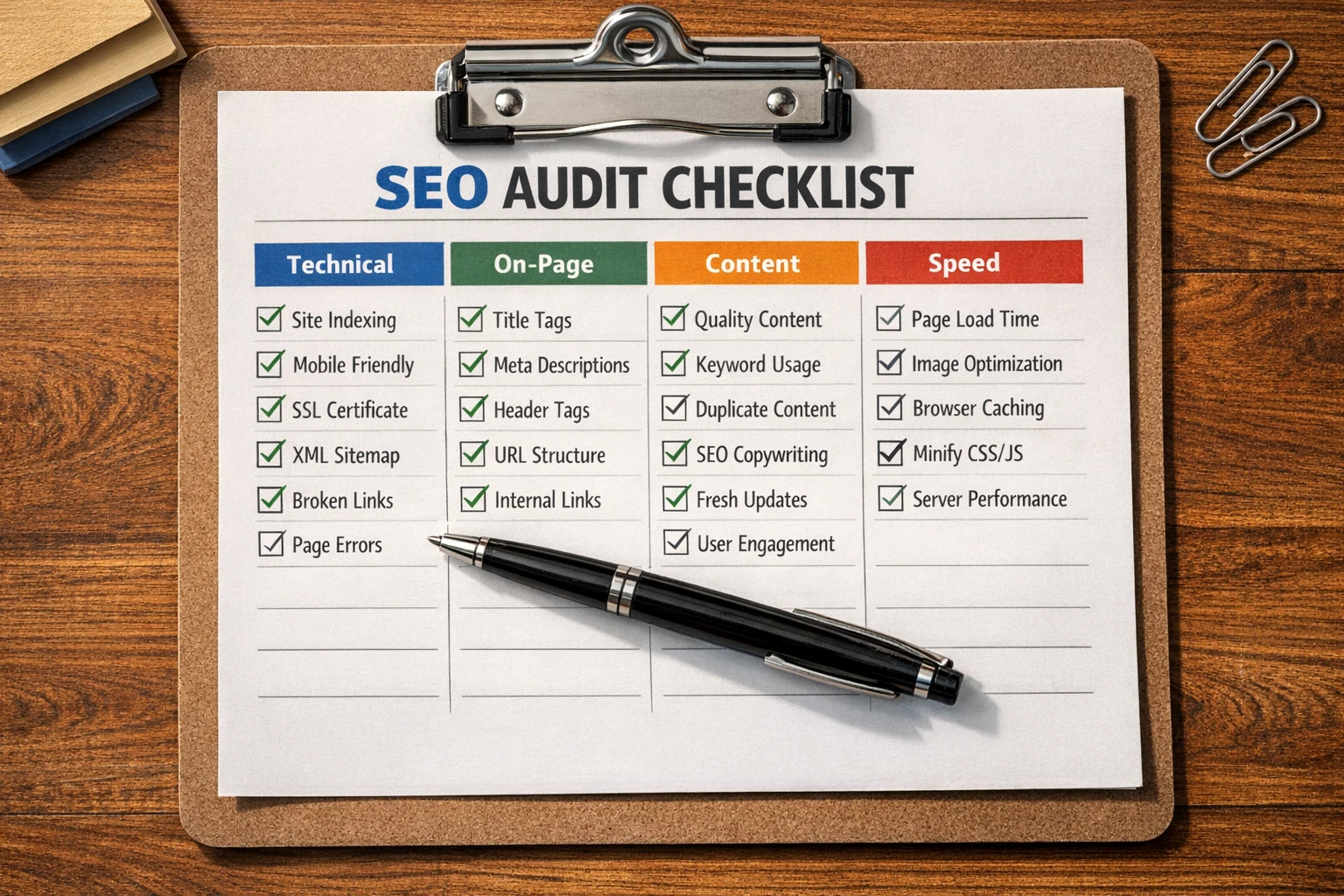
An SEO audit is a complete checkup of how well your website performs in search engines. It examines everything from your site’s technical setup to your content quality, looking for problems that stop search engines from finding and ranking your pages.
But many businesses never run a proper audit. They keep publishing new content and building backlinks while hidden technical issues drag down their rankings. Without a clear review of what’s working and what isn’t, they end up pouring time into SEO tactics that barely improve their organic traffic.
This SEO audit checklist breaks down what gets checked and why each part affects your rankings. You’ll see which problems do the most damage and how to catch them early.
Let’s dive in.
Technical SEO and Site Crawl Issues
Technical SEO is the backbone of how search engines crawl and understand your website. It includes elements like crawlability, site speed, internal linking, and proper indexing. That’s why most SEO audits begin with a technical review to identify issues that could prevent your pages from being discovered or ranked.
One of the main ways auditors find these problems is through a site crawl. This process simulates how search engines move through your pages and reveals issues like broken links, slow server responses, or pages accidentally blocked in your settings.
Why It Matters
When search engines can’t crawl your content, those pages won’t rank, despite how good they are. We’ve even seen sites lose 40% of their organic traffic simply because a robots.txt file accidentally blocked important sections.
But technical SEO issues aren’t always that dramatic. Some problems build up slowly, like broken links or misconfigured pages. Over time, these smaller issues signal to search engines that your site isn’t well-maintained, which can harm your rankings.
The good news is that most audit tools catch these SEO mistakes in minutes and show you exactly which pages need fixing.
On-Page SEO: Title Tags and Meta Descriptions
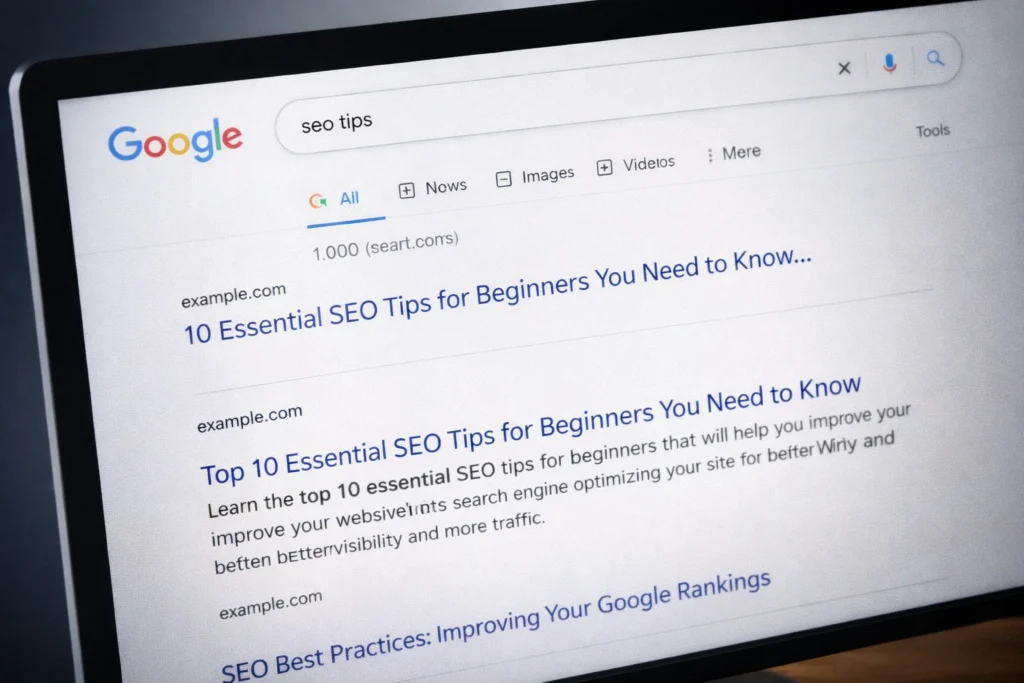
An on-page SEO audit reviews your title tags and meta descriptions to make sure they’re optimized for search results.
Auditors typically check whether title tags are unique, include relevant keywords, and stay under about 60 characters (so they don’t get cut off in search results). They also verify that each page has its own meta description that summarizes the content and encourages users to click.
Why It Matters
Your title tag is often the first thing people see in search results. If it’s vague, missing, or cut off, potential visitors may skip your page even if it ranks well. Fortunately, an SEO audit can spot these issues quickly, and most of them take only minutes to fix.
Content Quality and User Intent
Quality content directly answers what users search for and matches what they’re trying to accomplish. An SEO audit evaluates whether your pages solve the problem someone came to find.
During the audit, reviewers look at factors like word count, topic coverage, and how thoroughly your content answers important questions. They also check whether target keywords are used naturally and whether the content aligns with what people expect when they click on search results.
Why It Matters
Content that doesn’t match user intent tends to get ignored. Someone searching for “how to fix a leaky faucet” wants step-by-step instructions, not a sales page for plumbing services. So when your content misses the mark, visitors leave immediately and search engines notice those quick exits.
Improving content quality can fix this problem and strengthen your search visibility without relying on more backlinks or technical changes.
Core Web Vitals and Page Speed
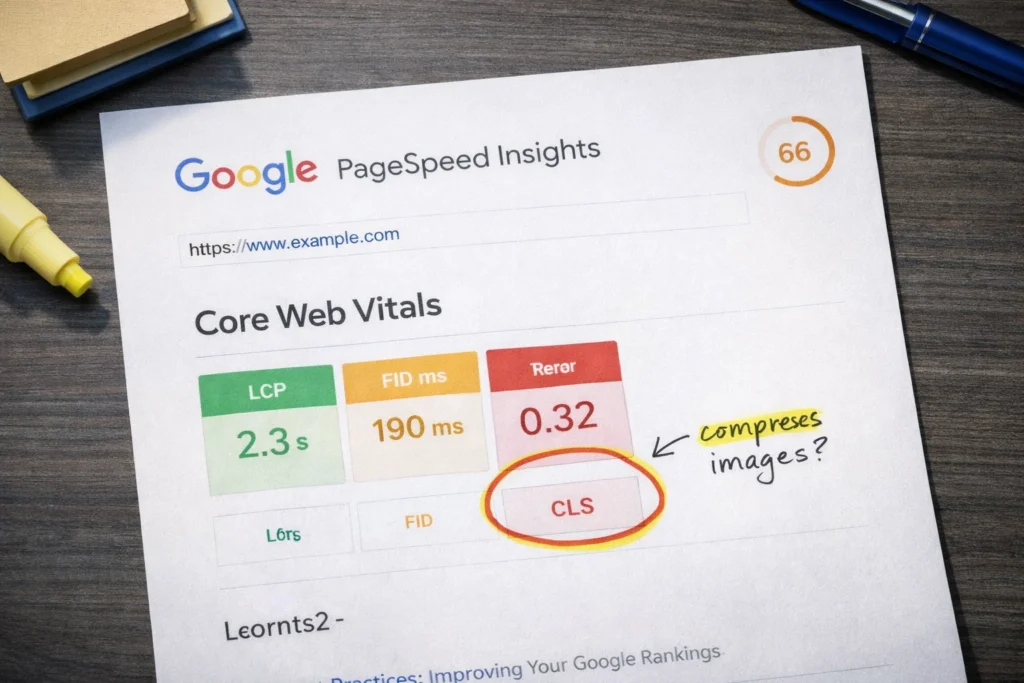
Core Web Vitals are three metrics Google uses to measure user experience: loading speed, interaction responsiveness, and visual stability. During an audit, they reveal how fast your main content loads, how quickly your page responds to clicks, and whether elements shift around unexpectedly while loading.
Why It Matters
Google research shows that 53% of mobile visits get abandoned when pages take longer than three seconds to load. So if your pages are slow or unstable, you’re losing more than half your mobile visitors before they even see what you offer.
Poor Core Web Vitals also impact your rankings because search engines prioritize sites that deliver better experiences. Common fixes include compressing images, reducing code, or upgrading hosting.
Schema Markup and Structured Data
Last year, we audited 20 websites, and 16 of them were missing schema markup. When we asked about it, the common response was, “What’s that?” and unfortunately, that’s the problem.
Without schema markup, search engines can’t easily understand your content, and your pages miss out on rich snippets. That’s why checking for schema markup and structured data is an essential part of any SEO audit.
Why It Matters
Rich snippets make your listings stand out in search results. When your page shows star ratings, prices, or FAQ answers while competitors show plain text, you attract more clicks even at the same ranking position.
Sure, structured data doesn’t guarantee rich snippets, but without it, you have zero chance of earning them.
Mobile Usability and Responsive Design
You’ve probably abandoned sites yourself when text was too small to read, or buttons were impossible to tap on your phone.
A mobile usability audit helps you avoid losing visitors the same way. It tests whether your web page adjusts to mobile screens, if text is readable without zooming, and if buttons are easy to tap.
Why It Matters
Over 66% of web traffic happens on mobile. You’re essentially blocking the majority of your potential visitors if your site isn’t optimized for mobile. Poor mobile usability also affects search rankings, because Google evaluates your mobile site first (also known as mobile-first indexing).
In short, sites that aren’t mobile-friendly lose both traffic and visibility.
Free SEO Checker Tools That Actually Work
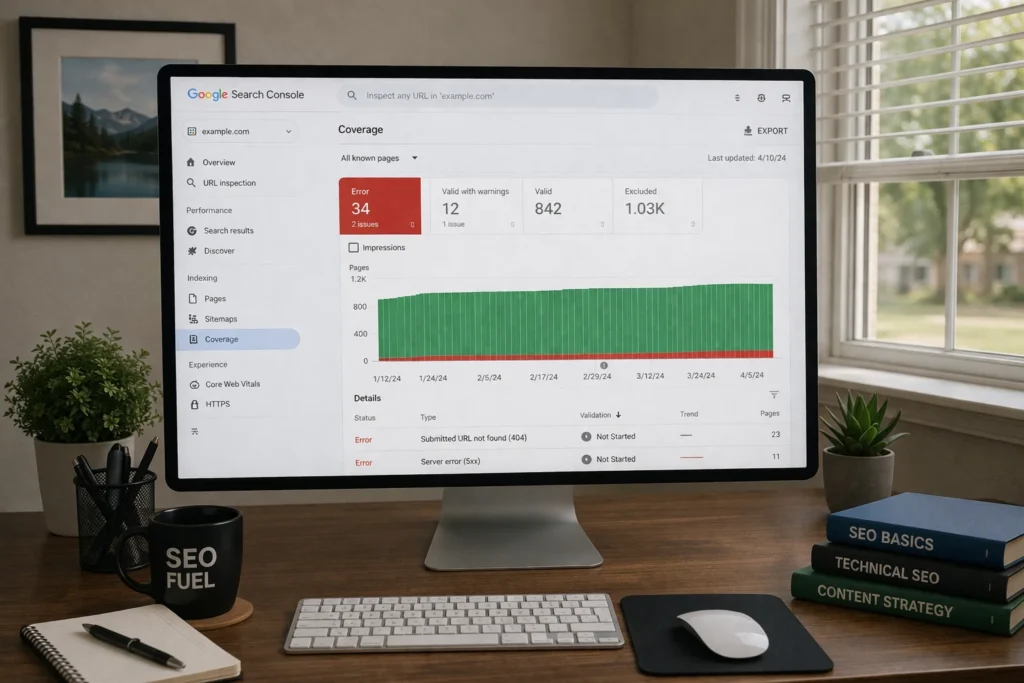
Now that you know what an SEO audit checks, you can start running your own, and you don’t need expensive software to do it. These free SEO checker tools cover most of the features you’ll need to get started.
- Google Search Console: This is the most reliable free SEO audit tool because it shows you exactly what Google sees when crawling your site. With it, you can check which pages are indexed, identify crawl errors, monitor your search performance, and review mobile usability issues.
- Ahrefs Webmaster Tools: If you want something more detailed than the basics, Ahrefs goes deeper. It covers broken links, site speed issues, and on-page SEO problems. You also get an SEO score showing how your site stacks up.
- Screaming Frog SEO Spider: Unlike the other two tools, you can crawl 500 pages for free with Screaming Frog, but it’s usually plenty for small and medium websites. It works like a search engine for your site, spotting duplicate content, missing meta tags, and redirect chains that other tools often miss.
Pro tip: Start with Google Search Console since it connects directly to Google’s data. Then use the other tools to fill in gaps and get a complete picture of your site’s SEO health.
Start Your First Audit Today
Running an SEO audit doesn’t have to be complicated. Many issues can be spotted and fixed quickly, without expensive tools or a complete site redesign.
Start with Google Search Console to see what Google already knows about your site. Then pick one or two priority fixes based on what hurts you most. Don’t try to tackle everything at once.
Need help running a thorough audit or fixing what you find? Fiddlers Convention specializes in WordPress SEO and can handle the technical work while you focus on your business.